3 homepage templates
There are 3 standard homepage templates. Choose the template that best supports what users need to do on your homepage. If none are suitable, you can create a different layout using available components.
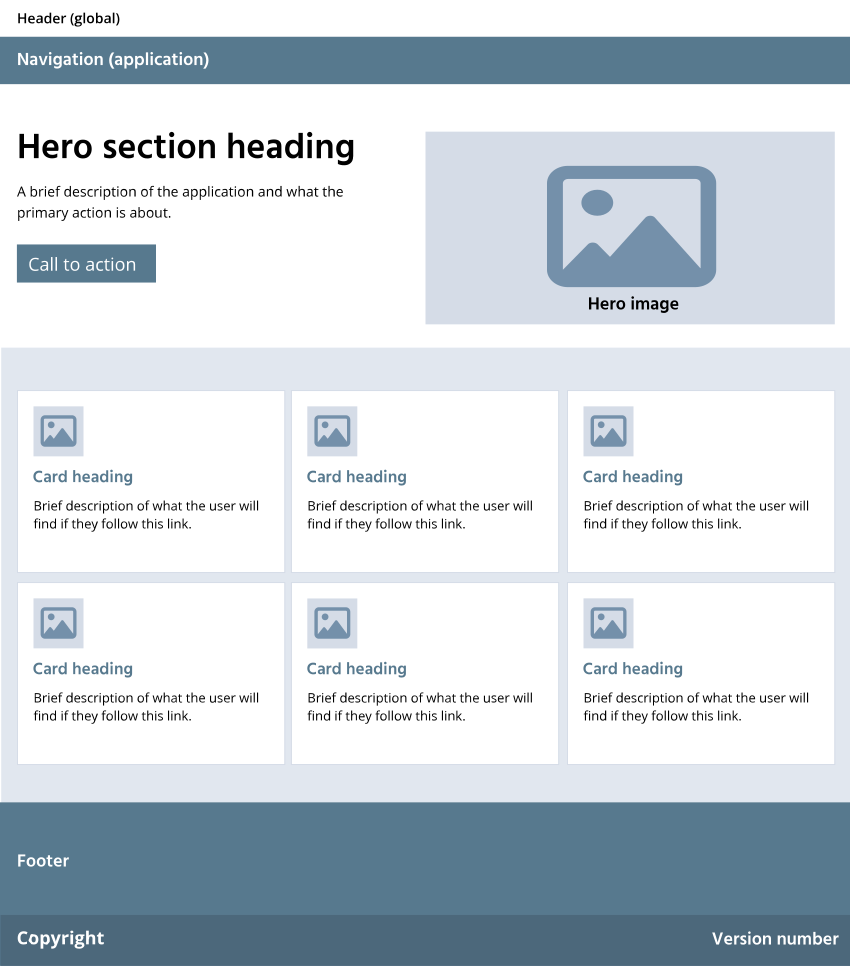
Homepage with hero section
Use this template when you need to introduce the application and highlight a primary action or important information.
The large hero section gives prominent space to:
- a concise and compelling headline
- a succinct explanation of what the application offers
- what action they should take next, using a call to action button or link
Beneath the hero section are cards with graphics that link to other important sections of your product.
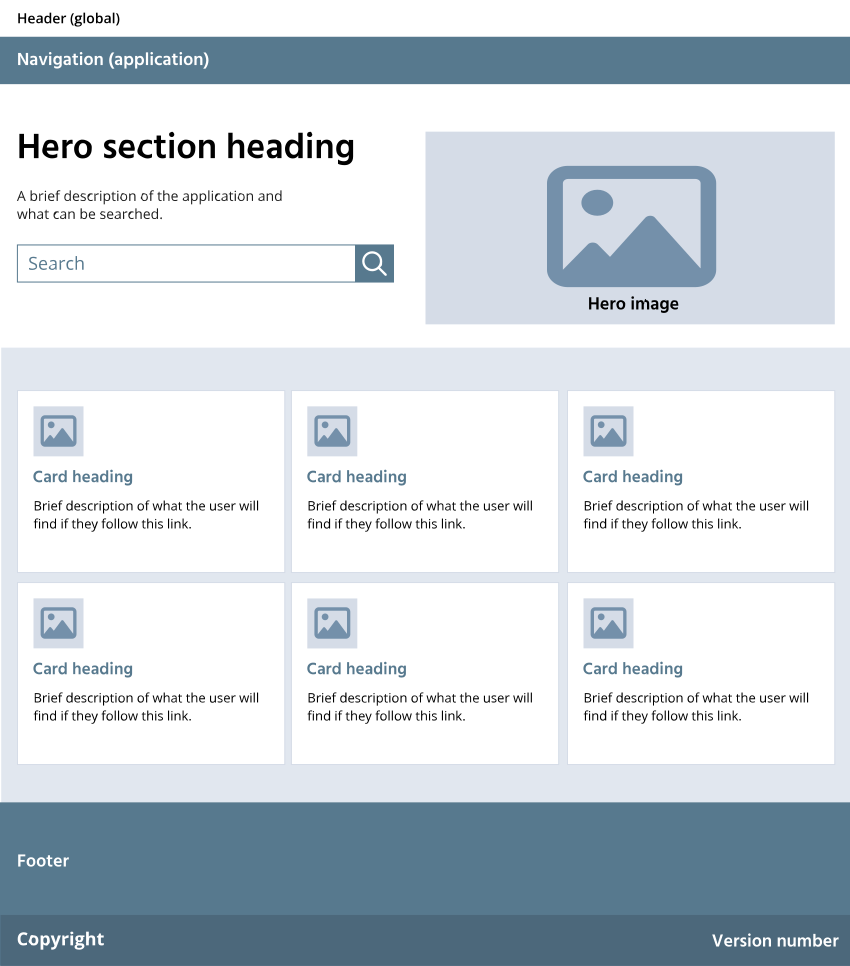
Homepage with hero section and search
Use this template when search is one of the main ways users find content or start a task.
The hero section gives search a prominent position alongside the heading and brief description of the application. This helps users understand what they can search for and provides a clear starting point when they arrive on the homepage.
The hero section usually includes:
- a concise and compelling headline
- a short explanation of what the application offers
- a search field
- a relevant hero image
Beneath the hero section are cards with graphics that link to other important sections of your product.
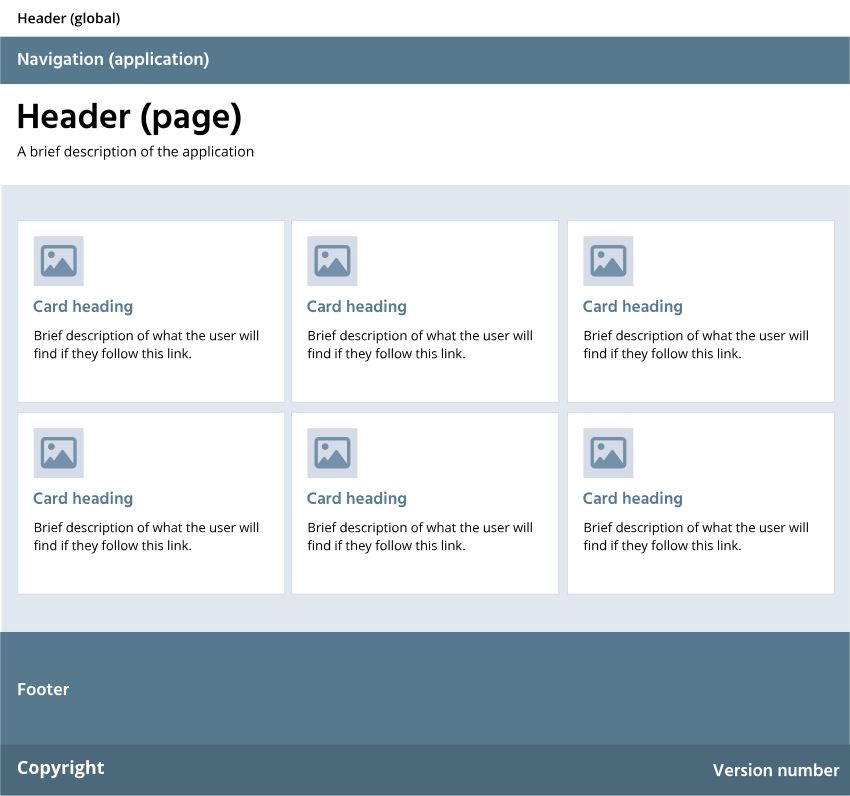
Simple homepage
Use this template when users mainly need direct access to key content, features or functions and a prominent hero section is not needed.
The page uses a simple heading and introduction followed by cards linking to the main areas of the application.
Organise cards by importance or according to the order users are most likely to need them.
Components
All 3 homepage templates include the following components:
- header (global)
- navigation (application)
- cards with graphics
- footer
Card graphics
Each card includes a graphic. These should follow the application graphics style.